ScatterbrainFree AI Presentation Template
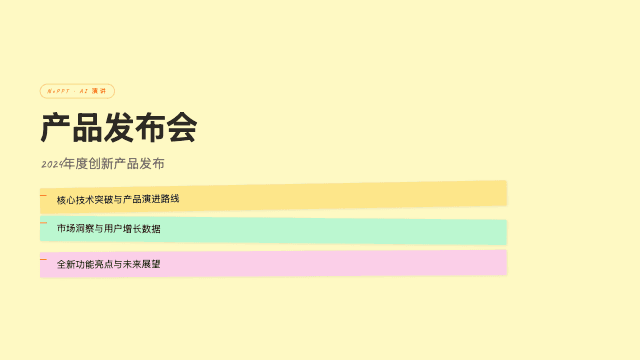
Scatterbrain turns the workshop wall into a template: pastel sticky notes, Caveat handwriting, and a Shrikhand-plus-Zilla-Slab type stack that keeps the chaos legible. It is the visual language of ideation — clusters, votes, connections — preserved with enough design discipline to present to stakeholders afterwards. High density is native here, because brainstorms never produce three tidy bullet points.
Best For
Scatterbrain is built for brainstorms, workshop outputs, creative-agency credentials, design-thinking sessions, and ideation pitches. Facilitators use it to turn messy session artifacts into a shareable summary the same afternoon. Sprint retrospectives and concept exploration decks also thrive. When the exploration phase ends and you need a single recommendation presented formally, hand the conclusion to Emerald Editorial or Signal.
Recommended For These Use Cases
Frequently Asked Questions
Can NoPPT turn my workshop notes into a Scatterbrain deck?
Yes — paste or upload your raw notes during the chat, and the AI clusters them into themed sticky-note groups with a narrative flow. Twenty free AI edits per project let you rearrange clusters afterwards.
Is Scatterbrain readable when projected to a large room?
Yes — note sizes and handwriting weights were tuned for projection. For very large audiences, the Slides format with one cluster per screen reads best; the Bento format suits smaller review sessions.
Generate Your Deck with Scatterbrain
Chat with AI for 5 minutes to get a complete web presentation in this template, with PPTX export and one-click sharing. Sign up free for 3 credits.